EML to PNG or JPG Converter
Turn an EML email into a full-length PNG or JPG image. Include the email headers or save just the message, with local browser processing.
Drop your EML file here
One email. Ready to read, save, or share.
.eml files up to 25 MB · No upload requiredOpening your email…
How to convert an EML email to an image
An email image is useful when you want to place a readable message in a document, annotate its layout or share a visual copy. EMLKit renders an existing EML file, including the supported embedded images shown in its preview.
- Open an .eml email or try the fictional sample.
- Choose PNG image or JPG image from File format, then set Include email headers.
- Download the image. Use the Attachments tab for files sent with the email.
PNG or JPG: which should you choose?
Both formats use a white background and contain the rendered message as pixels. Neither keeps selectable email text or working links. Start with PNG for receipts, confirmations and correspondence; compare JPG when file size matters. Actual size depends on the message, so JPG is not always the smaller result.
| Format | Best fit | Tradeoff |
|---|---|---|
| PNG | Text-heavy emails, small type and sharp linework. | Lossless image compression; the file can be larger. |
| JPG / JPEG | Photo-heavy messages or a compact image to share. | Lossy compression can soften letters and fine edges. |
Compare the same email as PNG and JPG
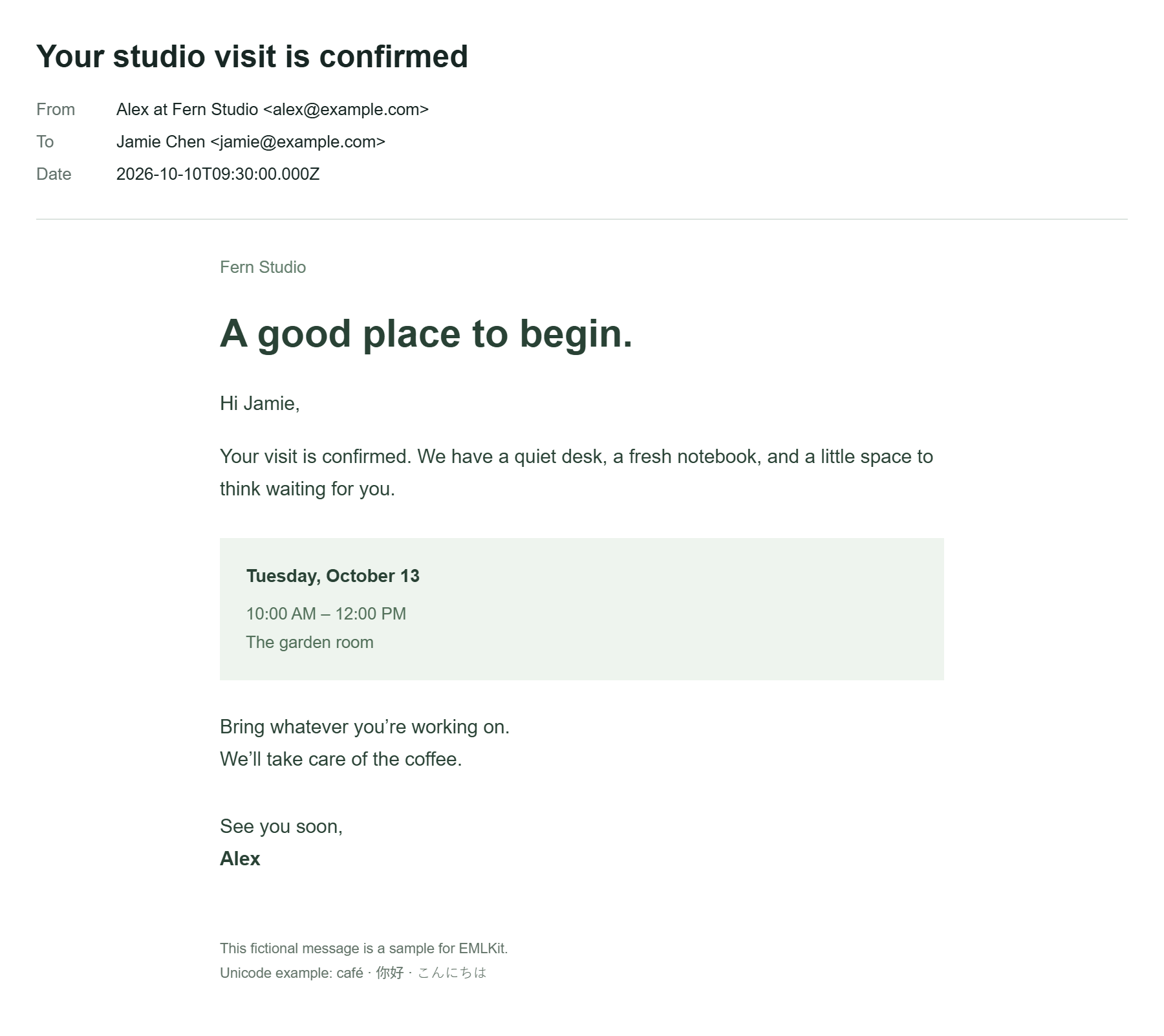
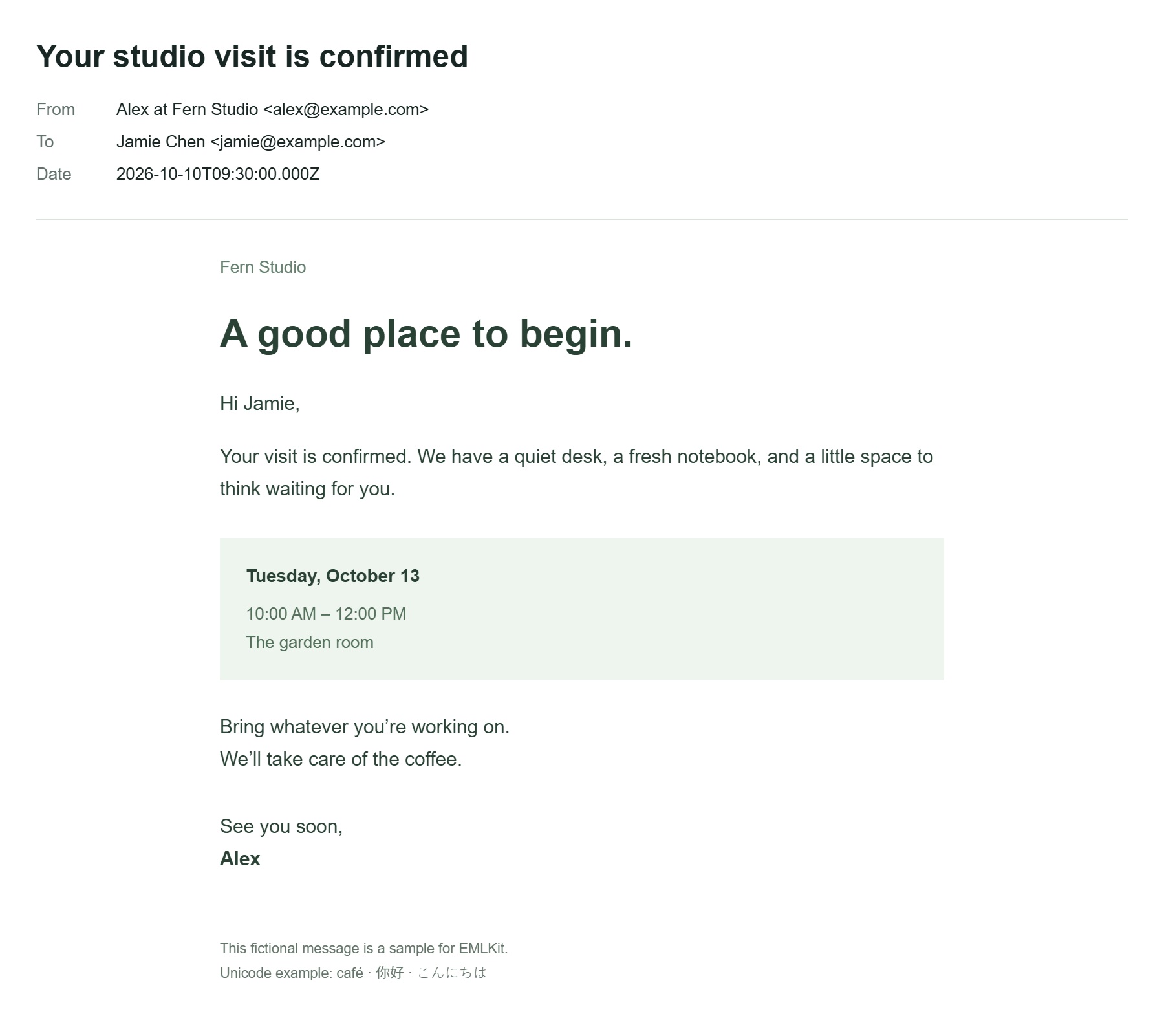
These downloads show the same fictional studio-visit email with its headers included. The preview below is the PNG output generated by the converter. Open either file at full size to compare the text, colored schedule panel and Unicode characters.
Full-length messages and embedded pictures
The export includes the rendered message beyond the visible preview area. It is not limited to the current browser viewport. A very long message may exceed the image-export limit; download HTML instead if the converter reports that the email is too tall.
Supported inline pictures can appear within the image. Separate file attachments are not rendered as extra pages, and remote images stay blocked. If a picture is absent from the preview, it will not appear in the export. The original EML file remains unchanged.
EML to PNG and JPG questions
Should I choose PNG or JPG?
PNG keeps text and linework sharp without lossy compression. JPG usually makes smaller files and works well for emails that contain photographs. Both use a white background.
Is this an email screenshot generator?
This tool converts an existing EML file into an image. It does not compose a fictional email or imitate Gmail or Outlook interfaces.
Will very long emails work?
The tool checks the rendered size before exporting. If a message exceeds the safe image limit, it explains the limit and offers HTML as an alternative. It never silently truncates the message.
Does my data leave my device?
Your selected files and pasted text are processed in your browser, without being uploaded to EMLKit. Remove the input or leave the page to clear the current workspace. Ordinary page requests still reach the site host. Read about file handling.