Email Redaction Tool
Open an email, mask addresses or selected phrases and review a text-only copy before sharing it.
Header fields: 4000 characters each. Files and encoded EML up to 25 MB.
Preview
Redacted copyEnter a message or open a file, then update the preview.
A new MIME copy is rebuilt. Original routing headers and signatures are not preserved.
How to redact an email
Import an EML or MSG, enter literal phrases to mask one per line and update the preview. Common ASCII email addresses can be masked automatically. The subject and plain-text body remain editable so you can remove information the pattern does not recognize.
- Open the email you want to redact.
- Enter sensitive phrases, edit the remaining text and update the preview.
- Review the result, then download EML, an image, PDF or HTML.
What is removed from a redacted copy
The output drops original sender and recipient addresses, original dates, HTML, embedded images, attachments, message identifiers, routing records and authentication headers. It uses a generic redacted sender and a new copy identifier. This removes hidden originals rather than painting an overlay.
Automatic matching does not identify every name, phone number, address, secret or internationalized email address. Literal phrase matching ignores letter case. Review quoted text and signatures yourself. A plain-text alternative can differ from the original HTML layout; this tool does not preserve visual formatting.
Review a redacted email before sharing
Start with a copy and list specific names, reference numbers or phrases, one per line. Update the preview, then read the entire subject and body, including quoted replies and signatures. Automatic email masking does not recognize postal addresses, phone numbers or every kind of identifier.
Download the result and reopen it in MIME structure viewer or your mail application to check the final text. Review the filename before sharing. Keep the original private; the redacted copy has new metadata.
This example masks Jamie, Fern Studio and Alex, with automatic email masking enabled. The source and exported text are shown below; the remaining visit date and location still need review.
Before: original plain text
Hi Jamie,

A good place to begin.

Your visit to Fern Studio is confirmed. We have a quiet desk, a fresh notebook, and a little space to think waiting for you.

Tuesday, October 13
10:00 AM – 12:00 PM
The garden room

Bring whatever you are working on. We will take care of the coffee.

See you soon,
Alex

This fictional message is a sample for EMLKit.
Unicode example: café · 你好 · こんにちはAfter: redacted plain text
Hi [redacted],

A good place to begin.

Your visit to [redacted] is confirmed. We have a quiet desk, a fresh notebook, and a little space to think waiting for you.

Tuesday, October 13
10:00 AM – 12:00 PM
The garden room

Bring whatever you are working on. We will take care of the coffee.

See you soon,
[redacted]

This fictional message is a sample for EMLKit.
Unicode example: café · 你好 · こんにちは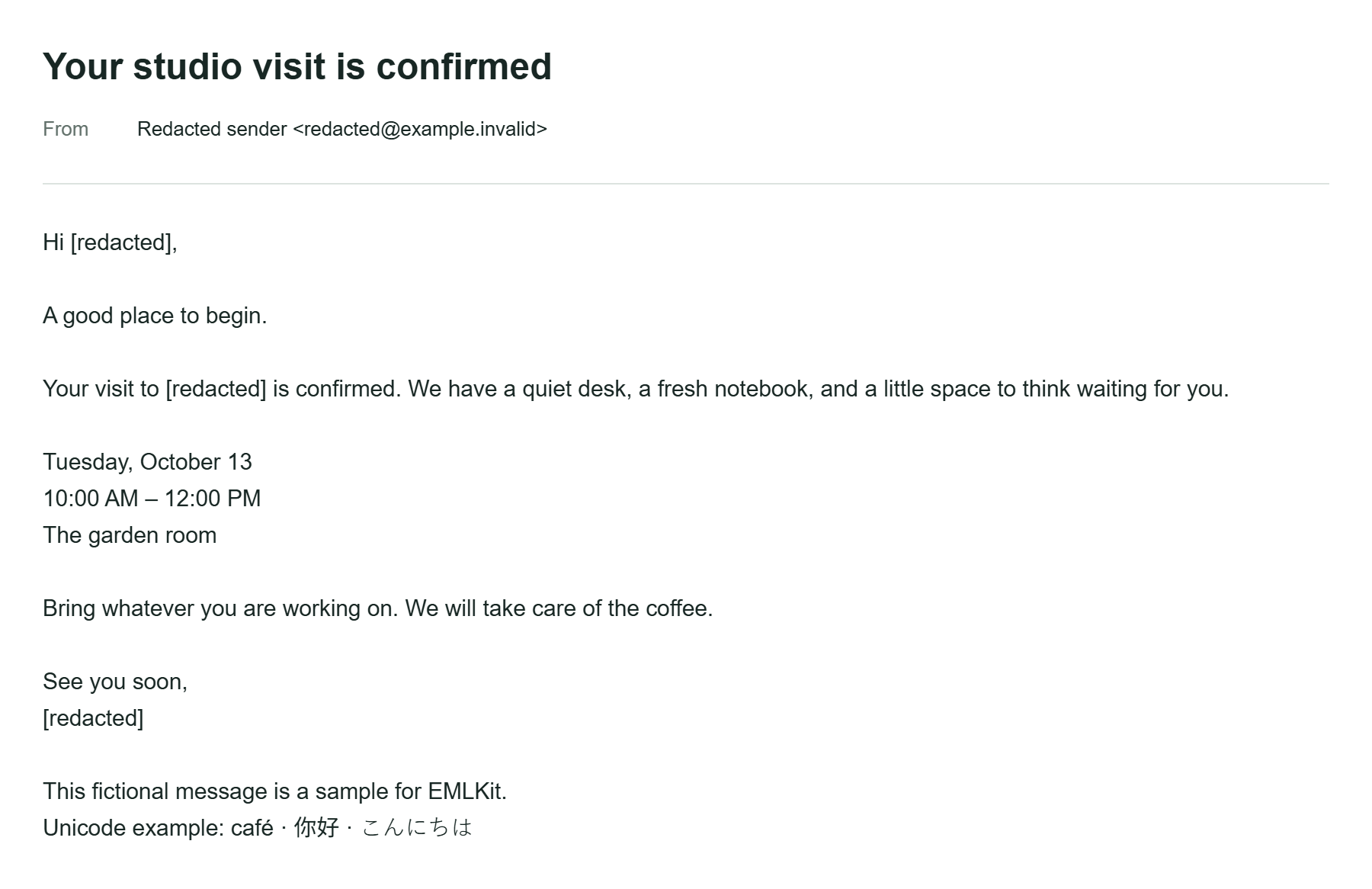
Phrase matching and missing formatting
A phrase matches literal text without regard to letter case. A name with different spacing, a line break or an alternate spelling may remain. Add each relevant variation or edit the body directly. If only HTML is available, the tool derives text from its sanitized preview.
For example, masking a customer name will not necessarily remove an account number next to it. Check those separately. Images and attachments are discarded entirely; the tool does not inspect a PDF attachment and redact words inside it.
Email redaction questions
Are attachments also redacted?
All attachments and embedded images are removed from the output. Their contents are not inspected or edited.
Does automatic masking guarantee privacy?
No. It matches common email addresses and the phrases you specify. You must inspect the resulting text for any information that remains.
Does my data leave my device?
Your selected files and pasted text are processed in your browser, without being uploaded to EMLKit. Remove the input or leave the page to clear the current workspace. Ordinary page requests still reach the site host. Read about file handling.